Sketch buildings the fun way
CasaForge is a playful building sketcher for rapid prototyping. Draw walls, drop in furniture, and see your ideas in 3D - no CAD skills needed.
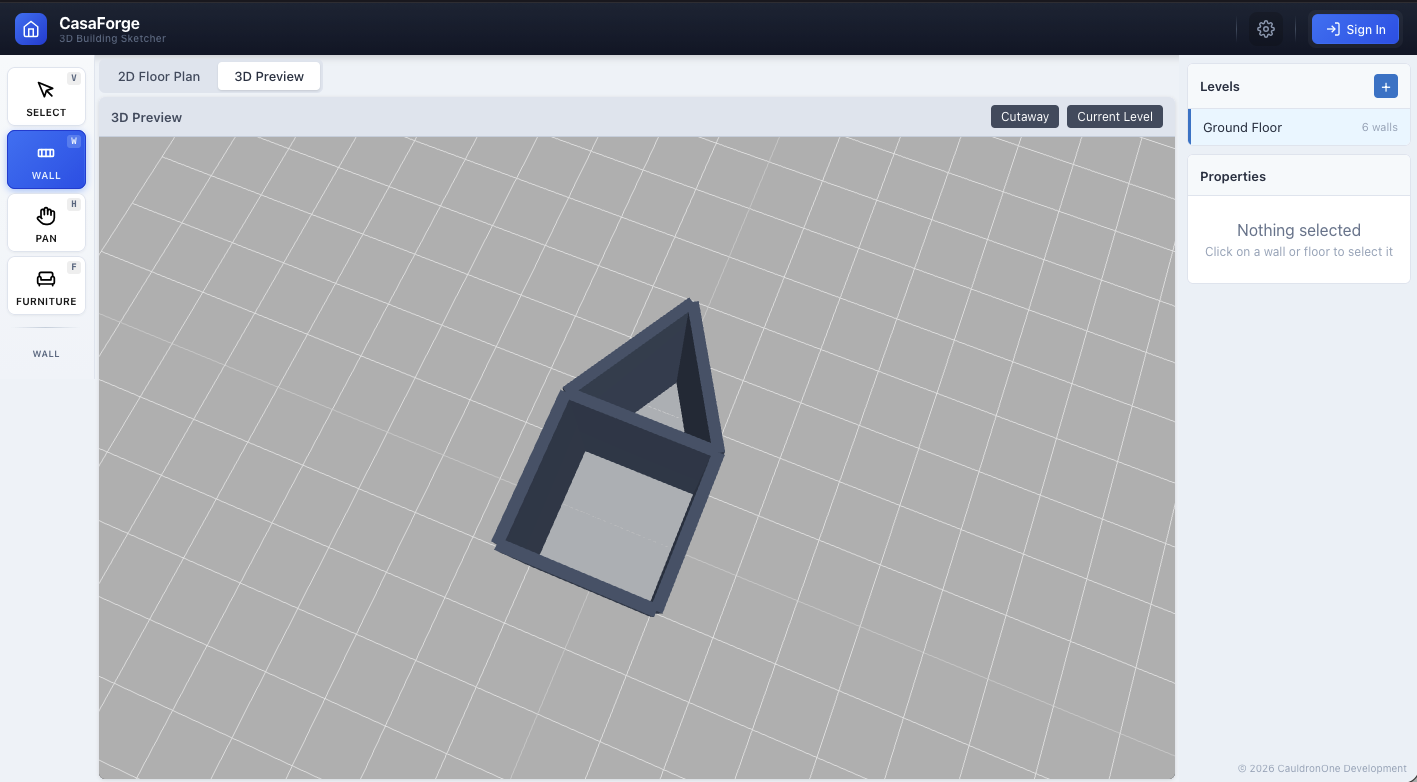
Quick ideas, not blueprints
CasaForge isn't CAD software: it's a fast, intuitive way to explore layouts before committing to detailed plans.
Point-and-click walls
Click to place walls — rooms appear automatically. No grid snapping or precise measurements required.
Instant 3D preview
See your sketch come to life in 3D as you build. Rotate, zoom, and walk through your creation.
Stack multiple floors
Add levels with a click. Great for quickly mocking up houses, apartments, or office buildings.
Drag-and-drop furniture
Furnish rooms from a simple catalog. Sofas, beds, tables, lights — just drag and place.
Color your rooms
Pick wall and floor colors to get a feel for the space. Perfect for quick visual exploration.
Save and share
Keep your sketches in the cloud. Easy!
How it works
From idea to 3D sketch in minutes.
1. Draw some walls
Click to place walls. Don't worry about precision — this is for exploring ideas.
2. Drop in furniture
Drag items from the catalog to get a sense of scale and flow.
3. View in 3D
Switch to 3D and walk through your space. Save it or start fresh.
Ready to start? Open the app